Want to create a unique image featuring yourself with Lord Hanuman, or design a digital Hanuman artwork for your social media, WhatsApp DP, or a special project? With ChatGPT’s AI image generation, you can bring your vision to life in just a few minutes, no design skills or paid software needed! Here’s a step-by-step guide, including the best prompts and tips for a respectful, high-quality result.
Step 1: Choose Your Photo
- Select a clear, well-lit selfie or portrait where your face is visible.
- For a devotional or artistic vibe, a calm or smiling expression works best.
Step 2: Open ChatGPT and Upload Your Image
- Make sure you’re using a version of ChatGPT with image generation features.
- Log in and start a new chat.
- Click the upload/media button and add your selfie (if you want to appear in the image) or skip this step if you want a standalone Hanuman artwork.
Step 3: Use a Respectful, Detailed Prompt
Copy and paste one of these prompts, or customise them as you wish:
Prompt 1: Devotional Portrait with Hanuman
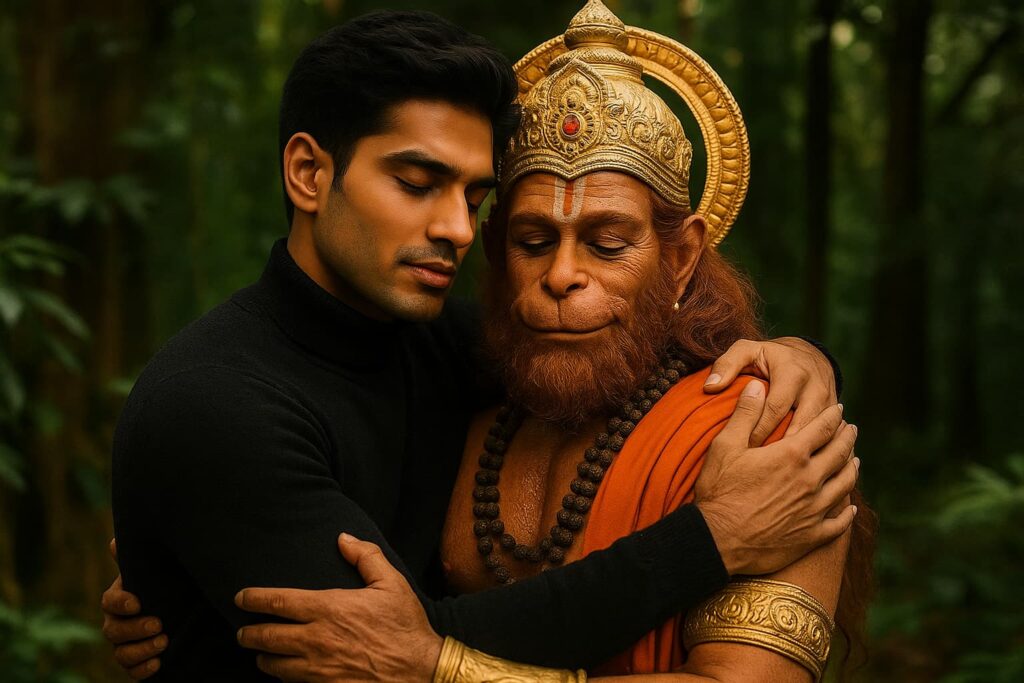
Create a highly realistic image of me standing beside Lord Hanuman. Lord Hanuman should appear powerful and divine, with a gentle smile, glowing aura, and traditional ornaments. The background is a peaceful temple courtyard at sunrise, with soft golden light and subtle flower petals in the air. Both figures are surrounded by a spiritual, serene atmosphere.
Prompt 2: Mesmerizing Portrait with Krishna
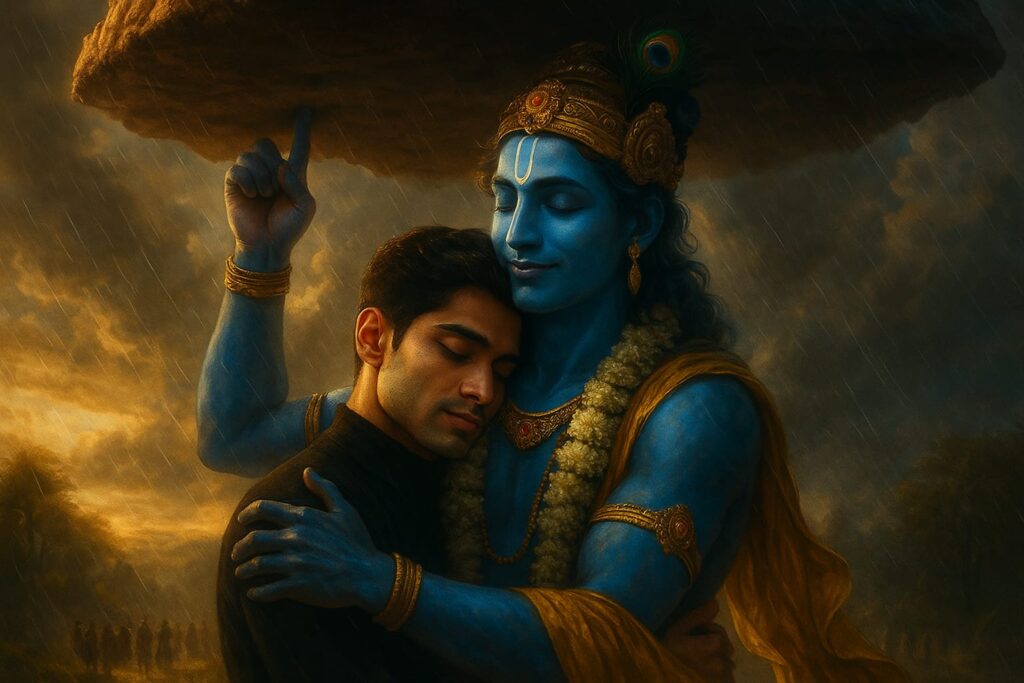
A highly realistic and emotionally cinematic image of Lord Krishna lifting the giant Govardhan Parvat effortlessly on his little finger while lovingly embracing a modern young man. Both have their eyes closed, sharing a deep, peaceful connection amidst a divine moment. Lord Krishna has radiant blue skin, adorned with a golden crown, peacock feather, yellow dhoti, and garlands. His other arm gently holds the young man in a warm embrace. The massive Govardhan mountain hovers majestically above, balanced on Krishna’s finger, with clouds swirling around it. The background features a mystical, rain-soaked Vrindavan landscape with villagers in awe in the distance. Golden-hour lighting, ultra-realistic textures, divine ambiance, 8K quality, cinematic depth, emotionally moving composition.
Prompt 3: Realistic Image with Lord Shiva
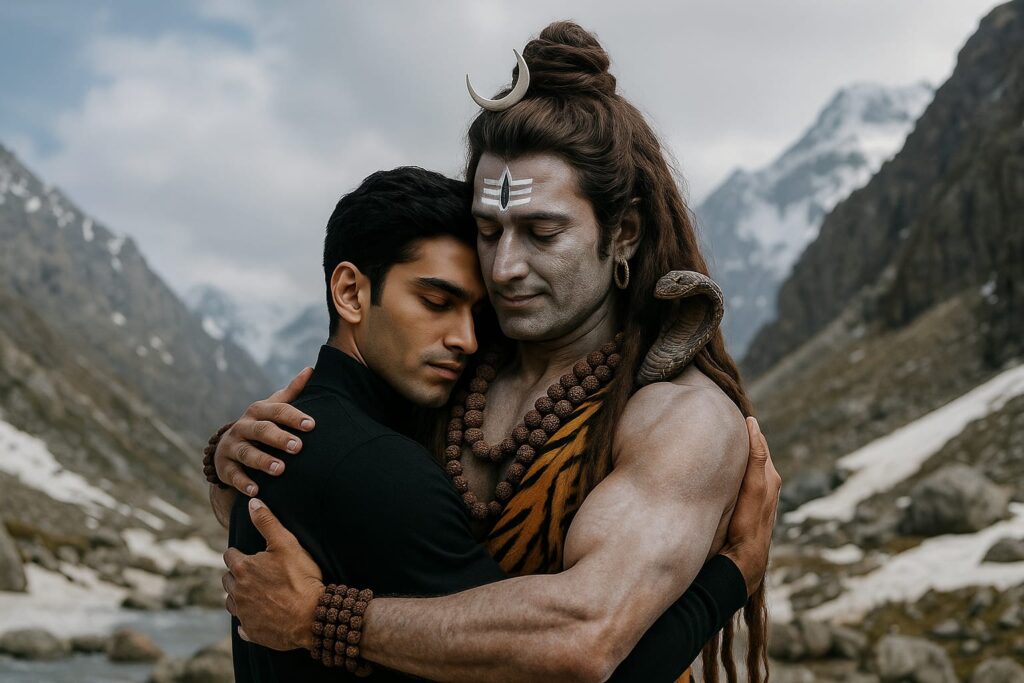
A highly realistic and cinematic scene of Lord Shiva embracing a modern young man in the Himalayas. Lord Shiva has ash-smeared skin, matted hair with a crescent moon and snake, wearing tiger skin and Rudraksha malas. The young man is in modern black clothing, eyes closed, emotional and peaceful. Snowy mountain backdrop with cloudy sky, dramatic lighting, sharp details, serene and divine atmosphere — 8K, ultra-realistic, cinematic style, emotional depth.
Step 4: Generate and Download Your Image
- Click “Generate” and let ChatGPT process your prompt.
- Review the result. If you want a different style or background, tweak your prompt and try again.
- Download your new Hanuman image.
Step 5: (Optional) Enhance with a Face Swap
If the AI doesn’t get your face exactly right, use a free face swap tool for extra realism:
- Go to a site like Artguru, Pixlr Face Swap, or FaceSwapper.ai.
- Upload your Hanuman image as the target.
- Upload your real selfie as the source.
- Click “Swap Face” and download the final, ultra-realistic version.
Pro Tips for Divine Hanuman Edits
- Always use respectful language in your prompts—Hanuman is a deeply revered deity.
- Use high-resolution photos for best results.
- Try different backgrounds: temple, forest, cosmic, or festival scenes.
- For a devotional touch, mention “spiritual aura,” “golden light,” or “flower petals” in your prompt.
- Share your creation with #HanumanAI or #HanumanEdit for maximum reach.
This guide is for creative and devotional use. Always be mindful and respectful when generating images with religious figures.
Also Read:
How to Create an Cinematic Image with Your Favourite Bike with ChatGPT?